Auto-completion (IntelliSense) in C#
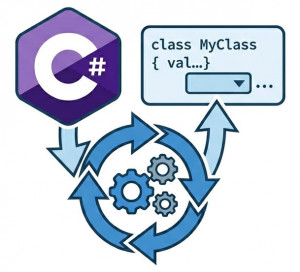
Auto-completion (IntelliSense) is an IDE feature that helps developers write code faster and more accurately by automatically suggesting variables, methods, classes, namespaces, parameters, keywords, and code snippets while typing.
IntelliSense is one of the most important productivity features in modern development environments such as:
• Visual Studio
• Visual Studio Code
• JetBrains Rider
• ReSharper
In C# and .NET development, IntelliSense significantly improves developer efficiency by reducing syntax errors, speeding up coding workflows, and simplifying API discovery.
Modern IntelliSense systems can provide:
• Method suggestions
• Parameter hints
• XML documentation previews
• Type inference assistance
• Namespace imports
• AI-assisted completions
• Refactoring suggestions
Why Do We Use IntelliSense?
Modern software systems contain enormous APIs, frameworks, libraries, and namespaces. Memorizing every method signature and object structure is unrealistic.
IntelliSense reduces cognitive load by displaying available members automatically during development.
It also improves:
• Development speed
• Code readability
• API discoverability
• Typing accuracy
• Learning experience for beginners
Without auto-completion systems, developers would spend far more time searching documentation and debugging syntax mistakes.
How IntelliSense Works
IntelliSense continuously analyzes source code, referenced assemblies, project metadata, and type information.
When developers type code, the IDE parses the current context and generates relevant suggestions.
Example:
string name = "Alice";

name.
After typing name., IntelliSense may suggest:
• Length
• Contains()
• StartsWith()
• ToUpper()
• Replace()
The IDE understands that name is a string object and provides context-aware suggestions.
Parameter Hints
IntelliSense also displays method parameter information.
Example:
var text = "hello world";

text.Replace(
The IDE may automatically display:
• Original value parameter
• Replacement value parameter
• Method overloads
• Documentation comments
This reduces mistakes when calling complex APIs.
IntelliSense in ASP.NET Core
IntelliSense is heavily used in ASP.NET Core development.
Example:
var builder = WebApplication.CreateBuilder(args);

builder.Services.
The IDE may suggest:
• AddControllers()
• AddAuthentication()
• AddAuthorization()
• AddSwaggerGen()
• AddDbContext()
This accelerates API and backend development significantly.
Code Completion Example in C#
Example class:
public class UserService
{
    public void CreateUser(string name)
    {
    }

    public void DeleteUser(int id)
    {
    }

    public void UpdateUser()
    {
    }
}
When typing:
var service = new UserService();

service.
The IDE automatically suggests:
• CreateUser()
• DeleteUser()
• UpdateUser()
Benefits of IntelliSense
Faster Development
Developers write code significantly faster because repetitive typing is reduced.
Fewer Syntax Errors
Auto-completion helps prevent:
• Typing mistakes
• Invalid method names
• Wrong parameter ordering
• Namespace issues
Improved API Discovery
Developers can explore libraries directly from the IDE without constantly reading documentation.
Better Learning Experience
Beginners can learn frameworks faster by seeing available APIs and documentation suggestions in real time.
XML Documentation Integration
IntelliSense integrates with XML comments to display developer documentation.
Example:
///
/// Calculates total price.
///
public decimal CalculateTotal()
{
    return 100;
}
The summary appears automatically inside IntelliSense suggestion windows.
AI-Powered IntelliSense
Modern IDEs now integrate AI-assisted code completion systems.
Examples include:
• GitHub Copilot
• Visual Studio AI completion
• JetBrains AI Assistant
These tools can generate:
• Entire methods
• Unit tests
• LINQ queries
• SQL queries
• Boilerplate code
AI-powered completion dramatically increases development speed in large projects.
Common IntelliSense Problems
Broken Project References
Missing NuGet packages or invalid project references may prevent IntelliSense from functioning correctly.
Large Solution Performance Issues
Very large enterprise solutions may slow IntelliSense responsiveness due to heavy code analysis.
Incomplete Builds
Compilation failures sometimes break IntelliSense suggestions.
Incorrect Namespace Imports
Missing using directives can prevent expected suggestions from appearing.
Example:
using Microsoft.EntityFrameworkCore;
Best Practices for IntelliSense Usage
Use Meaningful Naming
Good naming conventions improve suggestion readability.
Write XML Documentation
Proper documentation improves developer experience across teams.
Keep Solutions Organized
Well-structured projects improve IDE analysis performance.
Use Modern IDE Features
Modern Visual Studio and Rider versions contain major IntelliSense performance improvements.
IntelliSense vs Manual Coding
| Feature | IntelliSense | Manual Coding |
|---|---|---|
| Development Speed | Very Fast | Slower |
| Syntax Error Risk | Lower | Higher |
| API Discovery | Easy | Manual Documentation |
| Productivity | Higher | Lower |
| Learning Curve | Easier | Harder |
Popular IntelliSense-Supported IDEs
• Visual Studio
• Visual Studio Code
• JetBrains Rider
• ReSharper
• OmniSharp
Conclusion
Auto-completion (IntelliSense) is one of the most important productivity features in modern C# and .NET development. It helps developers write code faster, reduce syntax mistakes, discover APIs efficiently, and improve overall software quality.
Modern IntelliSense systems go far beyond basic auto-completion by providing parameter hints, documentation previews, refactoring suggestions, and AI-assisted code generation.
For enterprise-scale ASP.NET Core systems and large C# applications, IntelliSense significantly improves development efficiency, maintainability, and developer experience.