Server GC vs Workstation GC vs Background GC in .NET: Performance, Architecture and Use Cases
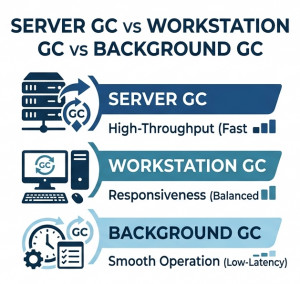
.NET Garbage Collector (GC) provides multiple execution modes to optimize memory management for different types of applications.
The three primary modes are Server GC, Workstation GC, and Background GC. Each mode is designed for different workload patterns and performance requirements.
These modes are widely used in:
• ASP.NET Core applications
• Desktop applications (WPF / WinForms)
• Cloud-native microservices
• High-throughput backend systems
• Low-latency services
High-Level Overview
Server GC is optimized for high-throughput server applications and multi-core scalability.
Workstation GC is optimized for desktop and interactive applications where responsiveness matters.
Background GC is a mode that reduces pause times by performing parts of garbage collection concurrently with application execution.
Server GC
Server GC is designed for high-performance backend systems such as web APIs and microservices.
It uses multiple GC threads and separates heaps per CPU core to maximize throughput.
Key Characteristics
• High throughput optimization
• Multi-threaded GC execution
• Dedicated heap per logical processor
• Best for server workloads
Use Cases
• ASP.NET Core APIs
• Microservices
• High-traffic web applications
• Distributed backend systems
Configuration Example
<PropertyGroup>
    <ServerGarbageCollection>true</ServerGarbageCollection>
</PropertyGroup>
Workstation GC
Workstation GC is optimized for client-side applications where user experience and responsiveness are critical.
It typically uses a single heap and focuses on reducing pause latency rather than maximizing throughput.
Key Characteristics
• Lower pause times
• Optimized for UI responsiveness
• Single heap model
• Lower resource usage compared to Server GC
Use Cases
• WPF applications
• WinForms applications
• Desktop tools
• Interactive client applications
Background GC
Background GC is not a separate GC mode but an enhancement that allows garbage collection to run concurrently with application execution.
It improves responsiveness by reducing long pause events, especially during Gen 2 collections.
Key Characteristics
• Concurrent garbage collection
• Reduced pause times
• Improves responsiveness under load
• Works with both Server and Workstation GC
How It Works
Instead of stopping the application completely during major collections, Background GC performs parts of Gen 2 collection in the background while the application continues execution.
Performance Comparison
Server GC: Maximizes throughput using multiple threads and CPU cores.
Workstation GC: Prioritizes responsiveness over raw performance.
Background GC: Reduces latency spikes during long garbage collection cycles.
Memory Model Differences
Server GC:
• Multiple heaps (one per CPU core)
• Parallel garbage collection
• Higher memory usage for better performance
Workstation GC:
• Single heap model
• Simpler memory management
• Lower overhead
Background GC:
• Overlaps GC with application execution
• Reduces blocking time
• Improves latency consistency
C# Performance Scenario Example
In a high-load ASP.NET Core API, Server GC significantly improves throughput:
public class OrderService {public void ProcessOrders(){for (int i = 0; i < 10000; i++){var order = new Order{Id = i,Amount = i * 10 }; } } }
Under heavy load, Server GC distributes memory management across multiple threads, reducing bottlenecks.
When to Use Which GC Mode?
Use Server GC when:
• Building ASP.NET Core APIs
• Running microservices
• Handling high concurrency workloads
• Maximizing throughput is critical
Use Workstation GC when:
• Building desktop applications
• UI responsiveness is important
• Running lightweight client apps
Background GC is beneficial when:
• Reducing latency spikes
• Handling large object heaps
• Improving user experience under load
Advantages and Disadvantages
Server GC:
• High performance under load
• Scales with CPU cores
• Higher memory usage
Workstation GC:
• Low latency for UI apps
• Lightweight design
• Lower throughput compared to Server GC
Background GC:
• Reduces long pause times
• Improves responsiveness
• Slightly higher CPU complexity
Common Mistakes
• Using Workstation GC for high-load servers
• Disabling Background GC unnecessarily
• Assuming GC mode fixes memory leaks
• Ignoring allocation patterns and LOH usage
Conclusion
Server GC, Workstation GC, and Background GC are complementary optimization strategies in .NET memory management.
Server GC is ideal for high-throughput backend systems, Workstation GC is best for interactive desktop applications, and Background GC improves responsiveness across both models.
Understanding these modes helps developers build scalable, low-latency, and memory-efficient .NET applications.