SSH vs Telnet vs RDP: Secure Remote Access Protocols Comparison
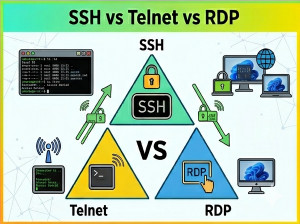
Remote access protocols are essential for managing servers, infrastructure, and systems across networks.
SSH (Secure Shell), Telnet, and RDP (Remote Desktop Protocol) are three commonly used technologies for remote system access, each with different security models and use cases.
While they may appear similar in purpose, they differ significantly in encryption, interface type, and system control capabilities.
These protocols are widely used in:
• Server administration
• Cloud infrastructure management
• Network device configuration
• Remote desktop access
• DevOps and deployment workflows
What is SSH?
SSH (Secure Shell) is a secure network protocol used to access and manage remote systems over an encrypted connection.
It provides secure command-line access and is widely used in Linux and cloud environments.
What is Telnet?
Telnet is an older network protocol used for remote command-line access but does NOT provide encryption.
It transmits data in plain text, making it insecure for modern systems.
What is RDP?
RDP (Remote Desktop Protocol) is a Microsoft-developed protocol that provides full graphical desktop access to remote Windows systems.
It allows users to interact with a remote machine as if they were physically present.
Core Concept Differences
SSH:
• Secure encrypted command-line access
• Used mainly in Linux/Unix systems
• Ideal for server administration
Telnet:
• Unencrypted remote terminal access
• Legacy protocol
• Not recommended for modern use
RDP:
• Graphical remote desktop access
• Windows-focused protocol
• Supports full GUI interaction
Comparison Table
| Feature | SSH | Telnet | RDP |
|---|---|---|---|
| Security | Encrypted | Not encrypted | Encrypted (TLS) |
| Interface | Command-line | Command-line | Graphical UI |
| Use Case | Server management | Legacy systems | Remote desktop access |
| Performance | High | Medium | Medium to high |
| Platform | Cross-platform | Cross-platform | Windows-centric |
| Security Level | Very high | Very low | High |
Execution Model Differences
SSH creates an encrypted tunnel for secure command execution and file transfer.
Telnet sends commands and responses in plain text over the network.
RDP transmits graphical screen updates and user input between client and server.
SSH Example (Command Usage)
ssh user@192.168.1.10

# Run remote commands securely
ls -la
SSH is the standard for secure server administration.
Telnet Example (Legacy Usage)
telnet 192.168.1.10 23

# Sends unencrypted commands (not secure)
Telnet is outdated and should not be used in production environments.
RDP Example (Conceptual)
mstsc /v:192.168.1.10
This opens a full remote desktop session to a Windows machine.
Performance Considerations
SSH: Lightweight, fast, and secure for terminal-based operations.
Telnet: Lightweight but insecure due to lack of encryption.
RDP: Heavier due to graphical data transfer but provides full desktop experience.
When to Use Each?
Use SSH when:
• Managing Linux servers
• Secure remote command execution is required
• Working in cloud environments
Use Telnet when:
• Only for legacy or testing environments
• Security is not a concern (rare cases)
Use RDP when:
• Full Windows desktop access is needed
• GUI-based administration is required
• Remote troubleshooting with visual tools
Common Mistakes
• Using Telnet in production environments
• Exposing RDP directly to the internet without protection
• Misconfiguring SSH authentication methods
• Ignoring brute-force protection mechanisms
Advantages and Disadvantages
SSH:
• Highly secure
• No graphical interface
Telnet:
• Simple and lightweight
• Completely insecure
RDP:
• Full desktop control
• Higher bandwidth usage
Conclusion
SSH, Telnet, and RDP are fundamentally different remote access protocols designed for different environments.
SSH is the secure standard for server management, Telnet is outdated and insecure, and RDP provides full graphical remote desktop access for Windows systems.
Choosing the right protocol depends on security requirements, system type, and operational needs.