How to draw a hexagon with basic graphics commands in C#
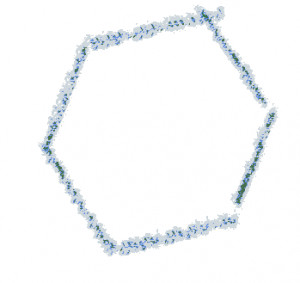
Hexagon drawing is the process of creating a six-sided polygon using graphics commands, vector paths, line segments, or mathematical calculations. Hexagons are among the most commonly used geometric shapes in software development because they provide efficient space utilization and visually balanced layouts.
Hexagons appear in board games, data visualizations, strategy games, mapping systems, scientific applications, and modern user interface designs.
- Create hexagonal game maps and grids.
- Build custom dashboards and widgets.
- Generate scalable vector icons.
- Render geometric user interface elements.
- Create scientific and engineering visualizations.
Why Do We Need Hexagon Drawing?
Many applications require hexagonal layouts because they provide better adjacency relationships than square grids. In game development, hexagons are frequently used for tactical maps and terrain systems.
Drawing hexagons programmatically allows developers to dynamically adjust dimensions, colors, border styles, and positions without relying on static image assets.
- Resolution-independent rendering.
- Flexible sizing and positioning.
- Reduced image asset maintenance.
- Ideal for grid-based applications.
- Better scalability for modern displays.
Are There Libraries to Draw a Hexagon in C#?
Most graphics frameworks support hexagon rendering because a hexagon is simply a six-point polygon. Libraries typically provide polygon and path drawing APIs that make implementation straightforward.
| Library | Platform | Hexagon Drawing Support |
|---|---|---|
| System.Drawing | WinForms | Polygon and GraphicsPath support |
| SkiaSharp | Cross Platform | Path-based drawing |
| WPF | Windows | Polygon and Geometry support |
| Avalonia | Desktop | Polygon rendering support |
| ImageSharp.Drawing | Cross Platform | Polygon drawing support |
For most desktop applications, System.Drawing provides everything necessary to create both regular and custom hexagon shapes.
How Can I Draw a Hexagon with a Graphics Library?
The simplest approach is generating six vertices and drawing them using the built-in polygon APIs. A regular hexagon distributes all six points evenly around a center position.
PointF[] hexagon =
{
new PointF(100, 20),
new PointF(180, 60),
new PointF(180, 140),
new PointF(100, 180),
new PointF(20, 140),
new PointF(20, 60)
};
graphics.FillPolygon(Brushes.LightGreen, hexagon);
graphics.DrawPolygon(Pens.DarkGreen, hexagon);
This method is ideal when the hexagon dimensions are known in advance.
How Can I Draw a Hexagon with Basic Graphics Commands (Line, Path, and More)?
A hexagon can also be created directly using line segments and path operations. This approach provides complete control over shape construction and works in nearly every graphics framework.
using System.Drawing.Drawing2D;
GraphicsPath path = new GraphicsPath();
path.StartFigure();
path.AddLine(100, 20, 180, 60);
path.AddLine(180, 60, 180, 140);
path.AddLine(180, 140, 100, 180);
path.AddLine(100, 180, 20, 140);
path.AddLine(20, 140, 20, 60);
path.AddLine(20, 60, 100, 20);
path.CloseFigure();
graphics.FillPath(Brushes.PaleGreen, path);
graphics.DrawPath(Pens.ForestGreen, path);
Because a hexagon consists entirely of straight edges, line-based rendering is efficient and easy to maintain.
How to Calculate Regular Hexagon Vertices Dynamically?
In many applications, hexagon dimensions are determined at runtime. A common approach is calculating vertices using trigonometric functions.
float centerX = 150;
float centerY = 150;
float radius = 100;
PointF[] points = new PointF[6];
for (int i = 0; i < 6; i++)
{
double angle = Math.PI / 3 * i;
points[i] = new PointF(
centerX + radius * (float)Math.Cos(angle),
centerY + radius * (float)Math.Sin(angle));
}
graphics.DrawPolygon(Pens.Black, points);
This algorithm automatically generates a perfectly regular hexagon of any size.
Flat-Top vs Pointy-Top Hexagons
Hexagonal grids are typically implemented in one of two orientations. Choosing the correct orientation is important for game maps, coordinate systems, and layout calculations.
| Type | Top Edge | Common Usage |
|---|---|---|
| Flat-Top Hexagon | Horizontal | Strategy games, dashboards |
| Pointy-Top Hexagon | Vertex facing upward | Tile maps, tactical grids |
The only difference is the starting angle used during vertex calculations.
An Alternative Hexagon Implementation: Rounded Hexagon
Modern interfaces frequently use rounded corners to soften geometric shapes and create a more polished appearance.
GraphicsPath path = new GraphicsPath();
// Simplified rounded hexagon example
path.AddArc(85, 15, 20, 20, 180, 60);
path.AddLine(100, 20, 170, 55);
path.AddArc(160, 45, 20, 20, 240, 60);
path.AddLine(180, 60, 180, 140);
// Additional arcs and lines would complete the shape
graphics.DrawPath(Pens.DarkOliveGreen, path);
Rounded hexagons are commonly used in modern dashboards, profile cards, badges, and icon systems.
An Alternative Hexagon Implementation: Honeycomb Grid Cell
One of the most popular uses of hexagons is building honeycomb-style layouts. Instead of drawing a single hexagon, developers often generate entire grids using a reusable vertex calculation method.
float horizontalSpacing = radius * 1.5f;
float verticalSpacing = radius * 1.73f;
// Calculate grid positions using row and column indexes
// Then render a hexagon at each position
This technique is widely used in game engines, GIS applications, and visualization software.
How to Use This Method Correctly?
Hexagon rendering is straightforward, but following a few best practices can improve visual quality and simplify maintenance.
- Generate vertices relative to a center point.
- Use trigonometric calculations for scalable shapes.
- Choose the correct orientation for your layout.
- Enable anti-aliasing for smoother edges.
- Reuse GraphicsPath and point arrays when possible.
- Dispose graphics resources correctly.
- Test rendering at different resolutions and DPI scales.
For smoother rendering quality, anti-aliasing should be enabled before drawing.
graphics.SmoothingMode = SmoothingMode.AntiAlias;
Hexagon Drawing Performance Considerations
Rendering a single hexagon is inexpensive, but applications that generate large hexagonal grids can benefit from optimization techniques.
| Recommendation | Benefit |
|---|---|
| Cache vertex calculations | Reduced CPU usage |
| Reuse GraphicsPath instances | Lower memory allocation |
| Enable double buffering | Reduced flickering |
| Batch draw operations | Improved rendering performance |
Common Hexagon Drawing Use Cases
Hexagons appear in many software projects because they efficiently connect neighboring cells while maintaining a visually appealing layout.
- Strategy game maps.
- Turn-based tactical grids.
- Honeycomb dashboards.
- Scientific simulations.
- GIS and mapping systems.
- Custom user interface components.
Conclusion
Drawing a hexagon in C# can be accomplished using polygons, GraphicsPath operations, line commands, or dynamic trigonometric calculations. The best approach depends on whether the shape is static, resizable, or part of a larger grid system.
For most applications, calculating six evenly distributed vertices and rendering them with DrawPolygon or GraphicsPath provides the best combination of flexibility, performance, and maintainability.