SQLite: Architecture, Use Cases and Best Practices
SQLite is a lightweight, serverless, embedded relational database engine designed for simplicity, portability, and reliability. Unlike traditional database systems such as SQL Server, PostgreSQL, or MySQL, SQLite does not run as a separate database server process. Instead, the entire database is stored inside a single file that applications can directly access.
SQLite is widely used in desktop applications, mobile apps, IoT systems, browsers, local caching systems, and small-to-medium-sized applications where simplicity and low operational overhead are important. Even large platforms internally use SQLite for local storage because it is extremely stable and fast for read-heavy workloads.
One of the biggest reasons developers prefer SQLite is its zero-configuration architecture. You do not need to install a database server, configure ports, create users, or manage services. Your application simply references the SQLite library and starts reading or writing data immediately.
Why Do We Use SQLite?
SQLite solves many problems that appear unnecessary to handle with a full database server. In many applications, using SQL Server or PostgreSQL would add operational complexity without providing meaningful benefits.
For example, a desktop accounting application may only need a local database file stored on the user's machine. Running an entire database server for this scenario would increase memory usage, installation complexity, deployment effort, and maintenance costs. SQLite removes all of these problems because the application directly manages a simple database file.
SQLite is also heavily used for offline-first systems. Mobile applications frequently store local data using SQLite so the app can continue working without internet connectivity. Once connectivity is restored, synchronization occurs with the central backend.
Another major use case is caching and local persistence. Applications often use SQLite to temporarily store logs, telemetry data, user preferences, analytics, or synchronization queues because file-based access is extremely fast and reliable.
When Should You Use SQLite?
SQLite is an excellent choice when:
• Your application runs locally on a device or desktop.
• You want zero deployment complexity.
• Your system has relatively low write concurrency.
• Your application primarily performs reads rather than heavy parallel writes.
• You need an embedded database for edge devices or IoT systems.
• You want a lightweight local cache.
SQLite is commonly used in:
• Mobile applications
• Desktop software
• Local development tools
• Embedded systems
• Browser storage systems
• Game engines
• Offline synchronization applications
• Local analytics collectors
However, SQLite is usually not the best option for high-scale distributed systems where thousands of users write data concurrently. In those scenarios, server-based databases such as PostgreSQL or SQL Server are generally more appropriate.
SQLite Architecture Explained
SQLite has a very different architecture compared to traditional relational databases.
Traditional databases usually work like this:
• A dedicated database server process runs continuously.
• Applications connect through TCP/IP.
• The server manages concurrency, authentication, memory, and transactions.
SQLite removes the server entirely.
The application directly interacts with the database file through the SQLite library. This architecture dramatically reduces complexity and resource consumption.
Because there is no server process:
• Installation becomes easier
• Deployment becomes simpler
• Memory usage becomes lower
• Startup becomes faster
The tradeoff is that SQLite handles concurrent writes differently than enterprise database servers.
Core Features of SQLite
Serverless Architecture
SQLite does not require a standalone server process. Everything operates inside the application process itself. This makes deployment extremely simple because copying a single database file is often enough to move the entire database.
This architecture is especially valuable for desktop applications and embedded devices where operational simplicity is critical.
Single File Database
The entire database exists as a single file on disk. Tables, indexes, triggers, and transactions are all stored together.
This simplifies:
• Backup operations
• File transfers
• Database migrations
• Local testing
For example, developers can easily attach a SQLite database file to bug reports or share test datasets among team members.
ACID Transactions
SQLite fully supports ACID transactions:
• Atomicity
• Consistency
• Isolation
• Durability
This means data remains reliable even during crashes or unexpected shutdowns.
SQLite uses journaling mechanisms such as:
• Rollback Journal
• Write-Ahead Logging (WAL)
These systems help protect data integrity during writes.
Cross-Platform Support
SQLite works across:
• Windows
• Linux
• macOS
• Android
• iOS
This makes it extremely attractive for cross-platform .NET applications using:
• .NET MAUI
• Avalonia
• Uno Platform
• Xamarin
• WPF
• WinForms
Lightweight Memory Usage
SQLite is designed for environments with limited resources. It can run efficiently even on low-memory devices and embedded systems.
This is one reason SQLite is heavily used in IoT and edge computing systems where hardware resources are constrained.
Main Components of SQLite
SQLite Engine
The SQLite engine is the core library responsible for:
• SQL parsing
• Query execution
• Transaction management
• Indexing
• File management
Applications communicate directly with this engine.
Database File
The database file stores:
• Tables
• Indexes
• Views
• Triggers
• Internal metadata
Everything exists inside a single portable file.
Journal System
SQLite uses journals to ensure transaction safety.
Rollback journals help restore previous states if transactions fail. WAL mode improves concurrency by allowing readers and writers to work more efficiently together.
WAL is commonly recommended for modern applications because it improves performance significantly in many scenarios.
Installing SQLite in C#
The most common package for modern .NET applications is:
dotnet add package Microsoft.Data.Sqlite
This package integrates cleanly with:
• ASP.NET Core
• Console applications
• Worker services
• Desktop applications
Creating a SQLite Database in C#
Creating a Connection
using Microsoft.Data.Sqlite;
var connectionString = "Data Source=app.db";
using var connection = new SqliteConnection(connectionString);
connection.Open();
Console.WriteLine("Database connected.");
SQLite automatically creates the database file if it does not already exist.
Creating Tables in SQLite
var command = connection.CreateCommand();
command.CommandText =
@"
CREATE TABLE IF NOT EXISTS Users
(
Id INTEGER PRIMARY KEY AUTOINCREMENT,
Name TEXT NOT NULL,
Email TEXT NOT NULL
);
";
command.ExecuteNonQuery();
This creates a simple relational table similar to SQL Server or PostgreSQL syntax.
Inserting Data in SQLite
var insertCommand = connection.CreateCommand();
insertCommand.CommandText =
@"
INSERT INTO Users (Name, Email)
VALUES ($name, $email);
";
insertCommand.Parameters.AddWithValue("$name", "John Doe");
insertCommand.Parameters.AddWithValue("$email", "john@howcsharp.com");
insertCommand.ExecuteNonQuery();
Parameterized queries are important because they prevent SQL injection vulnerabilities and improve query safety.
Reading Data in SQLite
var selectCommand = connection.CreateCommand();
selectCommand.CommandText =
@"
SELECT Id, Name, Email
FROM Users;
";
using var reader = selectCommand.ExecuteReader();
while (reader.Read())
{
Console.WriteLine(
$"{reader.GetInt32(0)} - " +
$"{reader.GetString(1)} - " +
$"{reader.GetString(2)}");
}
SQLite supports standard SQL querying patterns similar to most relational databases.
Using Transactions in SQLite
Transactions are critical for maintaining consistency during multiple operations.
using var transaction = connection.BeginTransaction();
try
{
var command1 = connection.CreateCommand();
command1.Transaction = transaction;
command1.CommandText =
"INSERT INTO Users (Name, Email) VALUES ('Alice', 'alice@howcsharp.com');";
command1.ExecuteNonQuery();
var command2 = connection.CreateCommand();
command2.Transaction = transaction;
command2.CommandText =
"INSERT INTO Users (Name, Email) VALUES ('Bob', 'bob@howcsharp.com');";
command2.ExecuteNonQuery();
transaction.Commit();
}
catch
{
transaction.Rollback();
}
Without transactions, partial writes may create inconsistent application states.
Best Use Cases for SQLite
Mobile Applications
SQLite is one of the most common databases used in mobile development. Mobile devices often require local persistence for offline operation, synchronization queues, and caching.
Applications such as note-taking apps, messaging clients, and offline maps benefit greatly because SQLite is lightweight and reliable.
Desktop Software
Desktop applications frequently use SQLite because deployment is simple. Users do not need to install database servers or configure services.
For example, accounting software, inventory systems, and local reporting tools often embed SQLite directly into the application installer.
Local Cache Systems
SQLite works extremely well as a local cache layer. Applications can temporarily store API responses, session data, or analytics events before synchronizing them to a central backend.
Because SQLite supports indexing and SQL querying, cache searches can become very efficient.
IoT and Edge Computing
Embedded systems frequently have limited CPU and memory resources. SQLite performs very efficiently in constrained environments.
IoT devices often use SQLite to store telemetry data locally before periodically syncing with cloud systems.
Advantages of SQLite
Extremely Simple Deployment
SQLite removes infrastructure complexity. There is no need for:
• Database servers
• Port configuration
• Authentication setup
• Service management
This dramatically reduces operational overhead.
Very Fast for Local Reads
Because SQLite directly accesses local files without network overhead, read operations are extremely fast.
Applications with read-heavy workloads often perform exceptionally well using SQLite.
Portable Database File
The single-file database design makes portability very easy. Developers can:
• Copy databases directly
• Attach them to emails
• Include them in backups
• Move them between systems
This convenience is one of SQLite's strongest advantages.
Reliable and Stable
SQLite has existed for many years and is heavily tested. It is used in critical systems including browsers, mobile devices, and embedded platforms.
Its stability is one reason many companies trust SQLite for production environments.
Disadvantages of SQLite
Limited Concurrent Writes
SQLite allows multiple concurrent readers but handles writes differently than server-based systems.
Heavy write concurrency can become a bottleneck because write locking occurs at the database level.
Applications with many simultaneous writes may experience contention problems.
Not Ideal for Large Distributed Systems
SQLite is not designed for horizontally scaled distributed architectures.
If your system requires:
• Multiple database servers
• Replication clusters
• Massive concurrent traffic
• Advanced distributed failover
then databases such as PostgreSQL or MySQL are usually better choices.
Fewer Enterprise Features
Compared to enterprise databases, SQLite has fewer advanced capabilities such as:
• Built-in user management
• Advanced replication
• Complex permission systems
• Native sharding
For enterprise SaaS platforms, these features may become necessary.
Common SQLite Mistakes
Using SQLite for High-Concurrency Systems
One of the biggest mistakes is trying to use SQLite for systems with heavy parallel writes.
For example, a large-scale e-commerce backend with thousands of simultaneous transactions may quickly hit locking issues.
SQLite is excellent for embedded and local systems, but not ideal for massive write-intensive distributed platforms.
Forgetting to Use Transactions
Developers sometimes execute many INSERT or UPDATE operations individually.
This causes:
• Poor performance
• Increased disk I/O
• Data inconsistency risks
Batching operations inside transactions dramatically improves performance and reliability.
Ignoring WAL Mode
Many developers use default rollback journaling without understanding WAL mode.
Write-Ahead Logging often provides:
• Better concurrency
• Faster writes
• Improved read/write behavior
Modern applications frequently benefit from enabling WAL.
Example:
PRAGMA journal_mode = WAL;
Storing Large Binary Files
SQLite can technically store binary data using BLOB columns, but very large files can increase database size dramatically.
In many systems, storing files externally and saving file references in SQLite is a better architectural approach.
SQLite Best Practices
Use Parameterized Queries
Always avoid string concatenation for SQL commands.
Parameterized queries:
• Prevent SQL injection
• Improve readability
• Reduce parsing issues
Enable WAL Mode for Modern Applications
WAL mode usually improves concurrency and performance.
Many production applications enable WAL immediately after database creation.
Create Proper Indexes
Indexes dramatically improve query performance.
For example:
CREATE INDEX idx_users_email
ON Users(Email);
Without indexes, large tables may cause full table scans.
Keep Transactions Short
Long-running transactions may increase lock contention.
Commit transactions as quickly as possible to improve concurrency behavior.
Alternatives to SQLite
SQL Server
SQL Server is a full enterprise relational database with:
• High concurrency
• Advanced security
• Replication
• Enterprise analytics
It is better for large ASP.NET Core backend systems with many concurrent users.
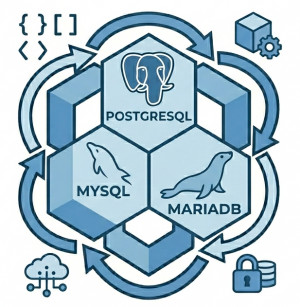
PostgreSQL
PostgreSQL provides powerful relational capabilities and advanced SQL features.
It is often preferred for:
• Complex queries
• Large-scale APIs
• Analytics platforms
• High-concurrency systems
MySQL / MariaDB
MySQL and MariaDB are popular open-source relational databases commonly used in web applications.
They provide better scalability for multi-user systems than SQLite.
LiteDB
LiteDB is a lightweight embedded NoSQL database for .NET.
Unlike SQLite's relational model, LiteDB stores BSON documents similar to MongoDB.
It can be useful for document-oriented local applications.
SQLite vs Traditional Database Servers
| Feature | SQLite | SQL Server / PostgreSQL |
|---|---|---|
| Architecture | Embedded | Client-Server |
| Deployment | Very Simple | More Complex |
| Concurrent Writes | Limited | High |
| Scalability | Small to Medium Apps | Enterprise Scale |
| Resource Usage | Very Low | Higher |
| Offline Support | Excellent | Limited |
Conclusion
SQLite is one of the most practical and reliable databases ever created for embedded and local applications. Its serverless architecture, lightweight footprint, portability, and simplicity make it an excellent choice for desktop software, mobile applications, IoT systems, local caches, and offline-first applications.
For C# developers, SQLite integrates extremely well with modern .NET applications and provides a very productive development experience. While it is not intended for massive distributed backend systems with heavy write concurrency, it remains one of the best solutions for lightweight relational storage scenarios.
Understanding when SQLite is the right choice — and when it is not — is critical for building scalable and maintainable software systems.