Clean Code Examples in C#
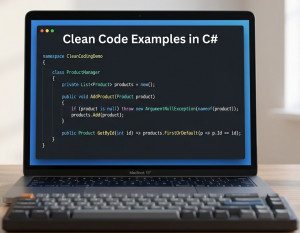
Clean code matters in C# for the same reason it matters in any mature language: you’re not just writing instructions for a compiler—you’re writing something other humans (including your future self) will read, extend, and debug.
Why clean code is important in C#?
C# is heavily used in large, long-lived systems (enterprise apps, APIs, Unity games, etc.). In those environments:
• Maintainability: Clean code is easier to update when requirements change.
• Readability: C# teams often collaborate; clear naming and structure reduce misunderstandings.
• Fewer bugs: Simpler, well-structured code reduces logical errors.
• Testability: Clean separation of concerns makes unit testing easier.
• Scalability: Systems grow—messy code doesn’t scale well.
What happens when code is not clean?
Messy code doesn’t just look bad—it actively creates problems:
1. Hard to understand
int d; // what is d?
Compare:
int customerAge;
Unclear naming forces developers to guess intent.
2. Bug-prone logic
if (user != null && user.IsActive == true && user.IsDeleted == false)
This gets repeated everywhere → inconsistent behavior.
3. Code duplication
Same logic copied in multiple places:
price = price - (price * 0.1);
If discount changes, you must fix it everywhere → high risk of inconsistency.
4. Difficult to test
Tightly coupled code:
public class OrderService
{
public void Process()
{
var db = new Database(); // hard dependency
db.Save();
}
}
You can’t easily mock Database.
5. Slows down development
Every change requires understanding messy logic → time wasted.
Clean code use cases in C#
Let’s walk through practical examples.
1. Meaningful naming
Bad
public int Calc(int a, int b)
{
return a * b;
}
Clean
public int CalculateTotalPrice(int quantity, int unitPrice)
{
return quantity * unitPrice;
}
Why it matters:
• No need for comments
• Intent is obvious
2. Single Responsibility Principle (SRP)
A class should do one thing.
Bad
public class UserManager
{
public void SaveUser(User user) { /* save */ }
public void SendEmail(User user) { /* email */ }
}
Clean
public class UserRepository
{
public void Save(User user) { }
}
public class EmailService
{
public void SendWelcomeEmail(User user) { }
}
Why:
• Easier to test
• Changes don’t break unrelated logic
3. Avoiding duplication (DRY principle)
Bad
public double ApplyDiscount(double price)
{
return price * 0.9;
}
public double ApplyHolidayDiscount(double price)
{
return price * 0.9;
}
Clean
public double ApplyDiscount(double price, double rate)
{
return price * (1 - rate);
}
4. Dependency Injection (loose coupling)
Bad
public class OrderService
{
private readonly Database _db = new Database();
public void Save()
{
_db.Save();
}
}
Clean
public class OrderService
{
private readonly IDatabase _db;
public OrderService(IDatabase db)
{
_db = db;
}
public void Save()
{
_db.Save();
}
}
Why:
• Easier unit testing
• Flexible implementations
5. Small, focused methods
Bad
public void ProcessOrder(Order order)
{
// validate
// calculate price
// save to DB
// send email
}
Clean
public void ProcessOrder(Order order)
{
Validate(order);
var price = CalculatePrice(order);
Save(order, price);
SendConfirmation(order);
}
Why:
• Easier debugging
• Each method has one job
6. Proper error handling
Bad
try
{
SaveData();
}
catch (Exception)
{
}
Clean
try
{
SaveData();
}
catch (SqlException ex)
{
_logger.LogError(ex, "Database error while saving data");
throw;
}
Why:
• Silent failures are dangerous
• Clean code makes failures visible
7. Using constants instead of magic numbers
Bad
if (user.Age > 18)
Clean
const int LegalAdultAge = 18;
if (user.Age > LegalAdultAge)
8. Clean conditionals
Bad
if (!(user == null || !user.IsActive))
Clean
if (user != null && user.IsActive)
Or even better:
if (IsActiveUser(user))
Big picture about Clean Coding
Clean code in C# leads to:
• Faster onboarding for new developers
• Easier debugging
• Lower long-term cost
• More reliable software
Messy code, on the other hand, creates what developers call technical debt—you “pay later” with bugs, delays, and frustration.