How to Migrate from .NET Framework to .NET Core?
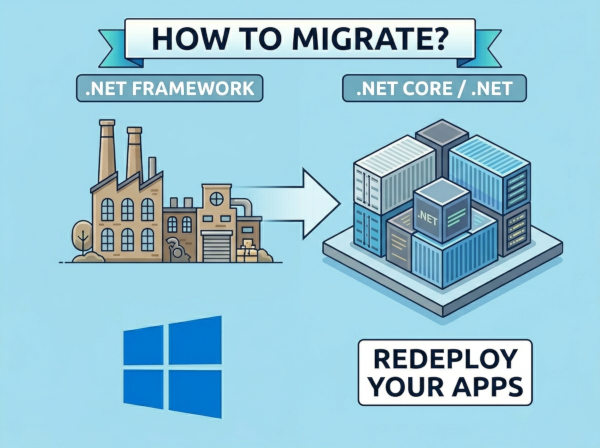
Modern software development increasingly demands cross-platform support, cloud-native deployment, containerization, and better scalability. Many organizations that built applications on .NET Framework are now planning migrations to modern .NET platforms in order to improve performance, reduce infrastructure costs, and simplify future maintenance.
Migrating from .NET Framework to .NET Core is not simply a version upgrade. In many cases, it involves architectural changes, library replacements, dependency analysis, and infrastructure modernization. Understanding the differences between the two platforms is the first step toward a successful migration strategy.
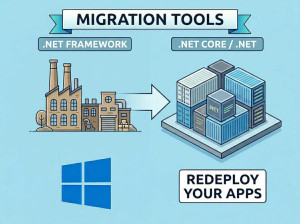
There are several .Net Framework to .Net Core Migration Tools available.
What is .NET Framework?
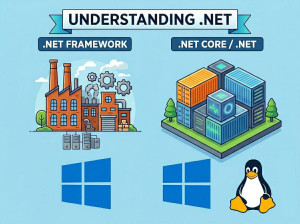
.NET Framework is the original Microsoft-managed development platform introduced primarily for Windows application development. It includes technologies such as ASP.NET Web Forms, WCF, Windows Forms, and WPF, making it heavily integrated with the Windows ecosystem.
The framework became widely used in enterprise environments because it provided stable tooling, mature libraries, and deep integration with Microsoft server technologies. Many banking systems, ERP platforms, and internal enterprise applications still operate on .NET Framework today.
However, .NET Framework is now considered a legacy platform for new projects. Microsoft continues security and maintenance support, but major innovation and performance improvements now happen in modern .NET versions.
What is .NET Core?
.NET Core was introduced as a lightweight, modular, and cross-platform implementation of .NET. It was designed to support modern software development requirements such as cloud hosting, microservices, Docker containers, and Linux deployments.
Unlike .NET Framework, .NET Core is fully open source and optimized for performance and scalability. Developers can run applications on Windows, Linux, and macOS without significant platform-specific changes.
Microsoft later unified the platform naming starting from .NET 5. Today, .NET 6, .NET 7, .NET 8, and later releases continue the evolution of .NET Core as the primary future of the ecosystem.
Read our detailed guide on .NET Core vs .NET Framework to understand the differences, performance considerations, and use cases of each platform.
Why Migrate from .NET Framework to .NET Core?
Better Performance and Scalability
Modern .NET versions provide substantial runtime optimizations compared to .NET Framework. Applications typically start faster, consume less memory, and process more requests simultaneously.
These improvements are especially important for cloud-native APIs, high-traffic web applications, and distributed systems. Organizations hosting applications in cloud environments often reduce infrastructure costs after migration due to improved runtime efficiency.
Cross-Platform Support
.NET Framework applications generally depend on Windows servers and IIS infrastructure. This can increase hosting costs and limit deployment flexibility.
Modern .NET applications can run on Linux, Docker containers, Kubernetes clusters, and multiple cloud providers. This flexibility allows development teams to adopt modern DevOps and infrastructure automation practices more effectively.
Long-Term Microsoft Support
Microsoft’s primary investment now focuses on modern .NET releases rather than .NET Framework. New language features, runtime improvements, cloud integrations, and performance enhancements are released only for modern .NET.
Organizations that remain on .NET Framework for too long may face increasing maintenance complexity, outdated dependencies, and compatibility challenges with modern tooling ecosystems.
Improved Development Experience
Modern .NET includes better dependency injection support, simplified configuration management, minimal APIs, built-in container tooling, and modern asynchronous programming patterns.
These improvements reduce development complexity and help engineering teams build maintainable and testable applications more efficiently.
Technologies Missing or Unavailable in .NET Core
Not every .NET Framework technology was migrated into .NET Core. Some older technologies were deprecated because they were tightly coupled to Windows or considered outdated for modern architectures.
ASP.NET Web Forms
ASP.NET Web Forms is not supported in .NET Core or modern .NET versions. The Web Forms lifecycle and server control model were heavily dependent on older IIS and System.Web infrastructure.
Applications built with Web Forms usually require a complete UI rewrite during migration. Most organizations move toward ASP.NET Core MVC, Razor Pages, or frontend frameworks such as React or Angular.
WCF Server-Side Support
Traditional WCF server hosting is not fully available in modern .NET. While some client-side compatibility exists, many enterprise WCF services require migration to REST APIs or gRPC.
Organizations modernizing distributed systems often replace SOAP-based communication with lightweight HTTP APIs that are easier to scale and maintain.
AppDomains
.NET Framework supported AppDomains for application isolation inside the same process. Modern .NET removed this feature because it complicated runtime architecture and created performance overhead.
Containerization and process-level isolation are now preferred alternatives in cloud-native architectures.
Remoting
.NET Remoting is not supported in .NET Core because it relies on outdated distributed communication patterns. Most applications replace remoting with REST APIs, SignalR, gRPC, or message brokers.
Modern communication technologies provide better scalability, interoperability, and cloud compatibility.
Workflow Foundation (WF)
Windows Workflow Foundation is not officially supported in modern .NET. Applications relying heavily on workflow automation often need architectural redesign or third-party workflow engines.
This is one of the more complex migration areas for older enterprise systems.
How to Migrate from .NET Framework to .NET Core
Step 1: Analyze Existing Dependencies
The first step is identifying all framework dependencies, third-party libraries, Windows-specific APIs, and unsupported technologies.
Many enterprise applications contain hidden dependencies that become visible only during migration. Dependency analysis helps estimate migration complexity before development work begins.
Microsoft provides tools such as the .NET Portability Analyzer to detect compatibility issues between frameworks.
Step 2: Upgrade Libraries and Packages
Older NuGet packages may not support modern .NET versions. Teams usually need to upgrade or replace outdated libraries before migration begins.
Some packages may require complete replacement if maintainers no longer support them. Logging frameworks, authentication providers, ORM tools, and serialization libraries are common migration points.
Step 3: Convert Project Files
.NET Framework projects often use older .csproj formats with verbose XML structures. Modern .NET uses SDK-style project files that are significantly simpler.
Example of an older .NET Framework project declaration:
<Project ToolsVersion="15.0">
<PropertyGroup>
<TargetFrameworkVersion>v4.7.2</TargetFrameworkVersion>
</PropertyGroup>
</Project>
Modern .NET SDK-style project file:
<Project Sdk="Microsoft.NET.Sdk.Web">
<PropertyGroup>
<TargetFramework>net8.0</TargetFramework>
</PropertyGroup>
</Project>
The new project format reduces configuration complexity and improves maintainability.
Step 4: Replace Unsupported APIs
Many APIs from System.Web are unavailable in ASP.NET Core. Authentication, session management, request handling, and middleware pipelines work differently.
For example, older HTTP context usage:
HttpContext.Current.Response.Write("Hello");
Modern ASP.NET Core approach:
public class HomeController : Controller
{
public IActionResult Index()
{
return Content("Hello");
}
}
ASP.NET Core promotes dependency injection and middleware-based architecture rather than static global access patterns.
Step 5: Modernize Configuration Management
.NET Framework applications commonly use Web.config files for configuration management. Modern .NET applications use appsettings.json and environment-based configuration providers.
Older approach:
<appSettings>
<add key="ApiUrl" value="https://www.howcsharp.com" />
</appSettings>
Modern approach:
{
"ApiSettings": {
"Url": "https://www.howcsharp.com"
}
}
This modern configuration model integrates better with Docker, Kubernetes, and cloud deployment systems.
Step 6: Incremental or Full Migration
Some organizations choose incremental migration instead of rewriting everything at once. This approach reduces operational risk and allows modernization in smaller phases.
Others prefer a full rewrite when applications contain deeply outdated architectures or unsupported technologies. The best strategy depends on business requirements, budget, system complexity, and technical debt.
Migration Comparison Table
| Migration Area | .NET Framework | Modern .NET |
|---|---|---|
| Web Framework | ASP.NET Web Forms / MVC | ASP.NET Core MVC / Minimal APIs |
| Configuration | Web.config | appsettings.json |
| Hosting | IIS-focused | Cross-platform hosting |
| Deployment | Server-installed runtime | Self-contained deployment |
| Communication | WCF / Remoting | REST APIs / gRPC |
| Platform Support | Windows only | Windows, Linux, macOS |
Common Migration Mistakes
Trying to Migrate Everything at Once
Large enterprise applications often contain years of accumulated complexity. Attempting a full migration in a single phase can create operational risks, missed deadlines, and unstable deployments.
Successful organizations usually migrate gradually, starting with isolated services or APIs before modernizing larger systems.
Ignoring Third-Party Dependency Compatibility
Many migration failures happen because teams focus only on their own source code while ignoring external dependencies. Older libraries may not support modern .NET versions or may introduce unexpected runtime issues.
A complete dependency audit should always happen before migration planning begins.
Recreating Old Architectures
Some teams migrate applications technically but continue using outdated design patterns from .NET Framework. This reduces many of the performance and maintainability benefits of modern .NET.
Migration should also include architectural modernization where appropriate, including dependency injection, middleware pipelines, asynchronous programming, and cloud-native design patterns.
Underestimating Authentication Changes
Authentication and authorization systems work differently in ASP.NET Core compared to older ASP.NET Framework applications.
Legacy Forms Authentication, Windows Authentication setups, and custom session handling often require redesign during migration. Teams that underestimate this area frequently experience security and deployment problems later.
Skipping Automated Testing
Migration projects without automated testing become extremely risky because regressions are difficult to detect.
Comprehensive integration tests, API tests, and regression tests help ensure that migrated functionality behaves consistently with the original application.
When Full Migration May Not Be Necessary
Not every application requires immediate migration. Some internal enterprise systems remain stable and cost-effective on .NET Framework, especially if they depend heavily on Windows-specific technologies.
Organizations should evaluate business value, operational costs, technical debt, security requirements, and future scalability before starting large modernization projects.
In some cases, partial modernization or API extraction may provide better results than complete platform migration.
Conclusion
Migrating from .NET Framework to .NET Core is both a technical and architectural transformation. While the process can involve significant effort, the long-term benefits include improved performance, cloud readiness, lower infrastructure costs, and better maintainability.
Successful migration projects usually focus not only on code conversion, but also on modernization strategies, dependency analysis, infrastructure planning, and incremental delivery approaches. Modern .NET provides a strong foundation for scalable and future-ready enterprise applications.