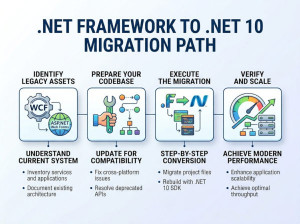
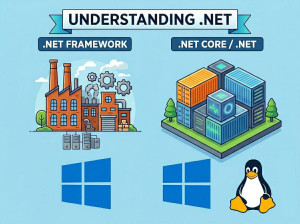
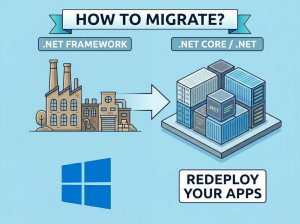
.Net Framework to .Net Core Migration Tools
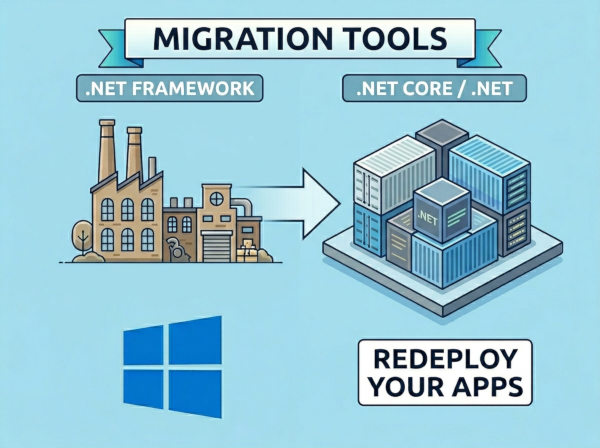
Migrating from .NET Framework to .NET (often still informally called “.NET Core”) usually involves three areas:
• Project conversion (old .csproj → SDK-style)
• API compatibility analysis
• Code/package/runtime migration
• Testing and deployment modernization
A fully automatic migration is rare for large enterprise apps, but several tools can automate major portions of the work.
Understanding the migration process from .NET Framework to .NET Core will help you choose the right tools and avoid common compatibility issues.
Main Automatic & Semi-Automatic Migration Tools
1. .NET Upgrade Assistant
Official Microsoft migration tool and the most important one today.
What it does?
• Converts old project files to SDK-style projects
• Upgrades target frameworks
• Replaces unsupported APIs when possible
• Migrates package references
• Updates configuration files
• Helps move from:
- .NET Framework → .NET 6/7/8+
- ASP.NET MVC → ASP.NET Core
- WPF / WinForms modernization
• Performs step-by-step guided upgrades
Supported app types
• Console apps
• Class libraries
• ASP.NET MVC
• Web API
• WinForms
• WPF
How it works
You install it as a .NET global tool:
dotnet tool install -g upgrade-assistant
Run:
upgrade-assistant upgrade MySolution.sln
The tool:
• analyzes dependencies
• upgrades projects one at a time
• generates reports
• applies automated fixes
Strengths
• Official Microsoft-supported
• Best ecosystem support
• Continuously updated
• Handles multi-project solutions
Limitations
• Cannot fully rewrite complex legacy architecture
• Web Forms support is limited
• Third-party dependencies may still require manual work
Best for: Most enterprise migrations.
2. try-convert
A Microsoft tool focused specifically on converting old project files.
What it does?
• Converts legacy .csproj to SDK-style format
• Simplifies project structure
• Updates package references
Example
try-convert -w MyProject.csproj
Strengths
• Fast and lightweight
• Good first step before larger migration
Limitations
• Does NOT fully migrate application code
• No API modernization
• No ASP.NET Core conversion
Best for: Library and backend projects where you mainly need SDK-style conversion.
3. Portability Analyzer (.NET Portability Analyzer)
Compatibility assessment tool from Microsoft.
What it does?
• Scans assemblies/projects
• Detects APIs unsupported in .NET Core/.NET
• Generates compatibility reports
Reports show:
• unsupported APIs
• estimated portability percentage
• replacement recommendations
Strengths
• Excellent for planning
• Helps estimate migration effort
Limitations
• Analysis only
• Does not rewrite code
Best for: Large legacy systems before migration begins.
4. API Port
Older Microsoft API compatibility analyzer.
What it does?
• Analyzes assemblies
• Checks .NET compatibility
• Suggests supported target frameworks
Largely superseded by:
• Upgrade Assistant
• built-in analyzers
But still useful for older enterprise systems.
Best for: Preliminary assessment of old libraries.
5. Windows Compatibility Pack
Not a migration tool itself, but extremely important.
What it does?
Provides missing APIs from:
• registry
• event log
• configuration
• directory services
• Windows-specific features
Why it matters?
Allows many legacy applications to compile on modern .NET with minimal changes.
Best for: Enterprise Windows applications.
6. .NET Analyzers
Roslyn-based analyzers integrated into modern .NET SDKs.
What they do?
• Detect obsolete APIs
• Suggest replacements
• Flag platform-specific code
• Recommend performance improvements
Strengths
• Continuous automated guidance
• Works inside Visual Studio
Best for: Incremental modernization after migration.
7. ReSharper .NET Upgrade Assistance
From JetBrains.
What it does?
• Detects deprecated APIs
• Offers automated refactoring
• Suggests modern syntax/features
• Helps migrate async patterns, LINQ usage, nullable references, etc.
Strengths
• Powerful code refactoring
• Excellent developer productivity
Limitations
• Commercial tool
• Not a complete migration framework
Best for: Large codebases with heavy refactoring needs.
8. Telerik Project Converter
Specialized migration utility for Telerik-based apps.
What it does?
• Updates Telerik references
• Migrates project configurations
Best for: Legacy apps using Telerik UI components.
Cloud & Enterprise Migration Platforms
9. AWS Porting Assistant for .NET
From Amazon Web Services.
What it does?
• Scans .NET Framework apps
• Identifies incompatible APIs/packages
• Suggests replacements
• Estimates migration effort
• Integrates with Upgrade Assistant
Strong feature: Dependency/package analysis is excellent.
Best for: Enterprise systems moving to AWS/cloud-native environments.
10. Azure Migrate
From Microsoft.
What it does?
Infrastructure + application assessment
Cloud readiness analysis
Dependency mapping
App modernization planning
Best for: Large enterprise migration programs.
Web Forms Migration Tools
11. System.Web Adapters
Important bridge technology from Microsoft.
What it does?
Helps migrate:
• ASP.NET Web Forms
• old System.Web dependencies
toward:
• ASP.NET Core
Strengths: Allows incremental migration instead of full rewrite.
Best for: Massive legacy ASP.NET applications.
12. YARP (Yet Another Reverse Proxy)
From Microsoft.
What it does?
Supports incremental migration:
• old .NET Framework app runs beside new ASP.NET Core app
• routes requests gradually
Best for: Strangler-pattern migrations.
Recommended Migration Strategy
Small Applications
Use:
• Upgrade Assistant
• SDK-style conversion
• Manual fixes
Medium Enterprise Apps
Use:
• Portability Analyzer
• AWS Porting Assistant or Upgrade Assistant
• ReSharper
• Incremental testing
Large Legacy ASP.NET/Web Forms Systems
Use:
• System.Web Adapters
• YARP
• Incremental strangler migration
• Upgrade Assistant where possible
Which Tools Are Most Important Today?
If you only choose a few:
| Tool | Importance | Purpose |
|---|---|---|
| .NET Upgrade Assistant | Essential | Official Microsoft tool for upgrading .NET Framework projects to modern .NET versions. |
| Portability Analyzer | Essential | Analyzes API compatibility and identifies unsupported APIs before migration. |
| AWS Porting Assistant for .NET | Excellent for Enterprises | Helps assess dependencies, package compatibility, and cloud readiness. |
| try-convert | Very Useful | Converts legacy .csproj files into modern SDK-style project format. |
| System.Web Adapters | Critical for Web Forms | Supports incremental migration of ASP.NET Web Forms applications to ASP.NET Core. |
What Cannot Be Fully Automated?
Automatic tools usually cannot fully migrate:
• ASP.NET Web Forms UI
• WCF server implementations
• COM interop-heavy systems
• Reflection-heavy frameworks
• Old authentication systems
• IIS-specific behaviors
• Complex desktop installers
These typically require architectural redesign.